Tutorials
The AMS never counted your filament
August 17, 2026 · Kartzy Studio · 1 min read
The AMS remaining percentage isn't a counter — it's a spool-diameter guess. Here's what Bambu really reports, and where per-slot grams actually live.

The short version
- The AMS "remaining" percentage is a spool-diameter estimate, not a counter. Nothing in the AMS weighs anything or measures what a print used.
- It only works on genuine Bambu RFID spools. Third-party spools report
-1, and on AMS Lite it reports a permanent 100% — with no field in the payload that lets you tell the difference.
- The real per-slot grams come from the slicer, not the machine: the cloud task list, or
used_ginside the sliced 3MF. Both are predictions of what the slicer planned, not measurements.
- An empty slot omits the field entirely, which your JSON parser will quietly turn into zero.
- Just want to know what to do? Skip to "What you can do today" at the end.
Last month I tried to answer a question that sounds trivial: how many grams of black PLA did my farm actually burn?
Not a feeling. Not "about two spools." The number — per slot, per printer, per job.
I assumed the AMS knew. It reads an RFID tag off the spool, it shows a little level bar in the app, it tells you when you're running low. Of course it's counting.
It isn't. There is no counter anywhere in the machine, and once I understood why, a lot of confusing things about filament-tracking software suddenly made sense — including why every tool that does this well gets the number from somewhere other than the printer.
Here's the whole picture, with sources, so you don't have to go digging through firmware repos on a Sunday like I did.
On sourcing. Everything below is either linked to a primary source — Bambu's own wiki, the BambuStudio source, OpenBambuAPI, ha-bambulab — or is explicitly labelled as an observation from my own captures. Those captures are raw MQTT
pushall payloads read straight off the printer — not Home Assistant entity attributes. That distinction matters: ha-bambulab synthesizes some of these values, so a field that looks populated in HA may be the integration's work rather than the machine's. Where the two disagree, I say so. A couple of my captures contradict what's currently documented in the public repos; those are marked, not smoothed over.What the printer actually tells you
Bambu printers publish a status message over MQTT — the same feed Home Assistant, OctoEverywhere, Bambuddy and the rest are all reading. Inside it, each AMS slot is an object of 23 to 25 fields, depending on the machine — I counted 25 on an A1 and 23 on both an H2C and an X2D.
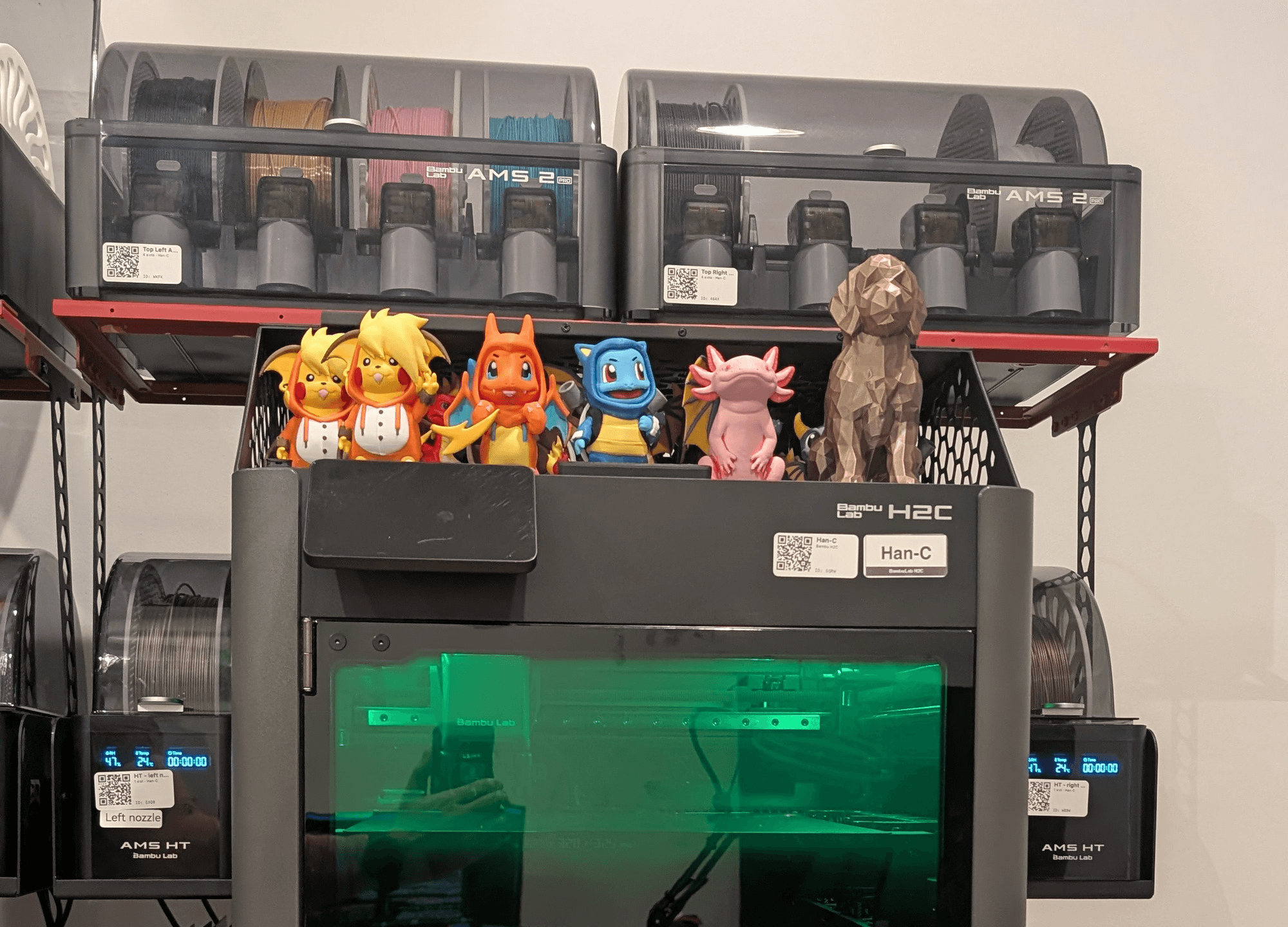
I went through those payloads for X1C, P1P, A1, A2L, P2S, H2C, H2D and X2D, and for the AMS, AMS Lite, AMS 2 Pro and AMS HT. To be clear about which is which: three of those are mine and I captured them directly — an A1 on AMS Lite, an X2D on an AMS 2 Pro, and an H2C carrying four AMS units at once — two AMS 2 Pro and two AMS HT. That's 18 trays in one pass, 15 of them loaded. Every value in this post attributed to those machines came off my farm. The rest is from the public capture fixtures in ha-bambulab and OpenBambuAPI, which is a weaker kind of evidence and I say so wherever it matters.
There is no consumption field. On any of them. No "used grams," no "total extruded," no odometer, no delta. Not on the slot, not on the AMS unit, not on the print job. The job-level status carries progress percentage, layer number and time remaining — and no weight at all.
Newer hardware didn't add one. It added humidity sensors, drying settings, calibration indexes and multi-colour gradient arrays. The AMS 2 Pro and AMS HT have heaters and humidity sensors. They do not have load cells. Nothing in the AMS weighs anything.
Bambu are fairly open about this if you read the spec sheets. The AMS HT product page lists the feature as "Filament Odometry" — odometry, as in distance travelled. Length, not mass. That is precisely what the machine measures and precisely what it doesn't.
What you get per slot is this:
Field | What it means | The catch |
tray_type | PLA, PETG, ABS… | Empty when the slot is unconfigured |
tray_info_idx | Filament profile ID, e.g. GFA00 | OpenBambuAPI hedges this as "probably the setting ID of the filament profile." In practice it's the join key to your own catalogue, and the field I get the most use out of |
tray_color | Colour as RRGGBBAA | Alpha is documented as always FF; the external spool slot reads 00000000 in captures |
tray_sub_brands | e.g. "PLA Basic", "PLA Sparkle", "Support for PLA" | Comes with the RFID tag, not with the profile you pick. Across 15 loaded trays on my farm the correlation is perfect: every tagged spool has one, and the single untagged spool has an empty string — even though I had assigned it a real Bambu profile ( tray_info_idx: GFA05). So a manually-set profile does not populate it. It's empty in every public capture in the major repos, which is why nobody documents it |
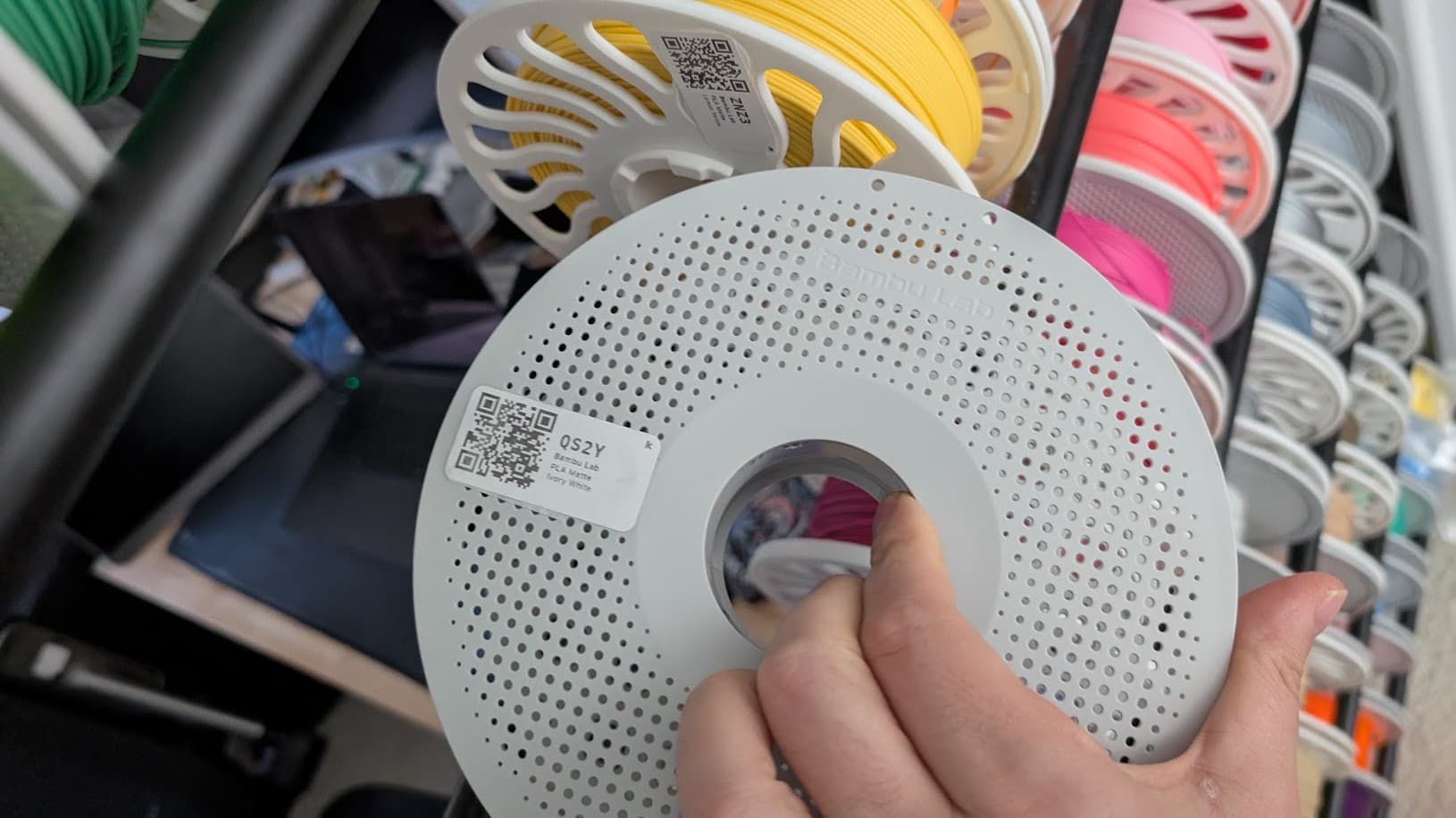
tray_weight | Nominal net weight of a full spool | Not current weight — it never moves. On my farm: 1000 on every 1 kg spool, 500 on a support-material spool, 0 on the one untagged spool. Static tag data: the RFID Tag Guide shows it in block 5 as a little-endian uint16 (E8 03 → 1000 g), written at the factory. Note this is the one field that does track SKU size, while total_len doesn't |
remain | Estimated remaining percent | See below. -1 means unavailable |
total_len | Supposedly total length | 330000 on every loaded tray I have ever captured — three printers, six AMS units, 15 loaded trays. Including one whose tray_weight is 500, and the untagged one whose tray_weight is 0. So it does not scale with spool size: ≈330 m is the nominal length of 1 kg of 1.75 mm PLA and everything gets that number regardless. On an empty tray the key is absent. Neither repo parses it. Ignore it |
tray_uuid / tag_uid | Bambu spool serial / RFID tag | Zeros on non-Bambu spools |
k / n | Flow calibration values | Model-dependent, and I can confirm both directions: present on my A1, entirely absent from my H2C and X2D payloads. n is never actually parsed by ha-bambulab — it exists only in comments |

Note what's not there: purchase price, purchase date, supplier, or what's sitting in the drawer. The printer knows what's loaded right now. It has no idea what you own.
One more trap, from comparing three of my own printers
The tray object is not the same shape across machines, and the difference isn't only which fields exist. Two fields carry different names depending on which product line you are talking to.
P1 / A-series — my A1 | X / H / P2 series — my H2C and X2D | |
Drying temperature | tray_temp: "55" | drying_temp: "55" |
Drying duration | tray_time: "8" | drying_time: "8" |
Flow calibration | k, n present | absent entirely |
Field count | 25 | 23 |

This is a product-line split, not a migration. Neither name is newer than the other, neither is deprecated, and both ship on hardware you can buy today. There is no upgrade path to wait for and nothing to migrate to.
Do not read the firmware numbers as versions of each other. My A1 reports
01.08.01.00 and my H2C 01.02.00.00, which looks like the H2C is far behind. It isn't — OTA numbering restarts per product line. The A-series began in 2023 and has had more releases; the H-series started in late 2025. Comparing the two numbers is meaningless, and I nearly wrote a paragraph based on doing exactly that.The correct handling is to accept both, permanently:
dry_temp = tray.get("tray_temp", tray.get("drying_temp"))
dry_time = tray.get("tray_time", tray.get("drying_time"))
One clarification on the field count, because the obvious inference is wrong: the 25-vs-23 gap is not the temperature fields. Those substitute one-for-one. The entire difference is
k and n — the flow-calibration factors the P1/A line reports inline on the tray and the X/H line doesn't.Same values. Different keys. A parser that knows only one of the two names gets nothing from the other half of the range — and gets it silently. No error, no warning, just a drying setting that reads as unset forever on every machine from the other line.
That is the same failure mode as the missing
remain key, and it's the reason I'd argue against writing a Bambu integration that assumes a fixed schema. Log the keys you didn't expect, and alert on the ones you expected and didn't get. Neither repo documents this split.The remaining percentage is a guess, and Bambu says so
This is the field everybody assumes is a fuel gauge. It isn't. Bambu's own wiki describes exactly how it works:
"The RFID reading process can also be used to estimate the remaining filament. The working principle is to estimate the percentage of the remaining filament on the spool by the length of the filament sent out after the RFID tag on the spool rotates a full circle. The complete 1kg filament roll is 100% capacity by default."
Read that again: it estimates how much is left by watching how much filament comes off per rotation of the spool. Thinner spool, faster rotation, less filament left. It's a diameter measurement dressed up as a percentage.
The AMS 2 Pro setup page adds a detail nobody writes about: with the estimate enabled, the AMS reads the RFID tag twice — once for the filament info, once to establish the baseline for the estimate.
That's a genuinely clever hack. It is not a counter, and it breaks in five specific ways.
1. The resolution is one percent — and that's resolution, not accuracy. The value moves in integer steps. On a nominal 1 kg spool that's ~10 g per step; on a 500 g or 750 g SKU it's 5 g or 7.5 g, and a full 500 g spool does not read 50%. A typical print moves the number by zero or one steps, so subtracting before from after gives you an error bar about the size of your answer. But resolution is the flattering half of the story. Accuracy is a separate question, and a kitchen scale answers it.
Here is what that looks like measured. A few days before the captures above, and with a different spool in that AMS HT slot, one genuine Bambu PLA Metal spool — tag read, estimate enabled — reported 22%. I took it off the printer and put it on a kitchen scale.
On the scale, gross | 403 g |
Empty spool of the same type, weighed separately, cardboard core included | 240 g |
Filament actually present | 163 g |
As a share of a nominal 1 kg spool | 16.3% |
What the AMS reported | 22% |
The tare is the soft number, so here it is with its uncertainty. Published figures for an empty Bambu spool vary more than you'd expect — roughly 208 g stripped bare, up to about 255 g with the cardboard core still in it, and 250 g is the round number most commonly quoted. My 240 g sits inside that range. That spread is worth about ±2.6 percentage points on my result — nearly half the error I'm claiming. So the honest way to report it is as a range:
Tare used | Filament actually there | AMS over-reads by |
208 g — bare, core removed | 195 g | +25 g |
240 g — mine, core included | 163 g | +57 g |
250 g — Bambu's own figure | 153 g | +67 g |
The magnitude is arguable. The direction isn't. Across every plausible tare, the estimate reads high — somewhere between 25 and 70 grams.
Why it reads high, which is the more interesting half
Before filing this as "the AMS is broken": it isn't, and the reason is worth more than the discrepancy.
The estimator measures a radius. My scale measures a mass. On a Bambu spool — 89 mm hub, 195 mm full coil — the difference between 16.3% and 22% full is a coil radius of 56.6 mm versus 60.3 mm. That is 3.7 mm, about two layers of filament. At that fill, one millimetre of apparent radius is worth roughly 16 grams of reported filament.
So the whole 57-gram finding is four millimetres of coil.
And there is a mechanism that predicts which way it goes. Those two measurements agree only while the filament sits at the factory's packing density. A spool that has been loaded, unloaded and rewound a few times sits looser — same mass, larger radius — and a geometric estimator reads that as more filament. Near the core, where area changes fastest with radius, the effect is amplified.
The over-read isn't a defect. It is the predicted behaviour of measuring a coil's radius and reporting it as a mass.
n = 1. One spool, one machine, one weighing. I could not find any published dataset quantifying a systematic end-of-spool over-read, so the direction here is physically well-motivated and, as far as I can tell, unmeasured. If you weigh one of yours, I would like the number.
None of which rescues it for the job an operator actually has. At 22% you should be thinking about a replacement, and you should — as a warning light it works exactly as advertised. But "will this 200 g job finish?" is a question about mass, and the answer you are being handed is about geometry.
2. It reads as unavailable on every spool without a Bambu RFID tag. This follows directly from the mechanism above — no tag, nothing to time the rotation against — and I can show it on my own machine rather than quoting anyone.
Third-party RFID included. On my H2C, one AMS unit holds four spools, three of which carry a Bambu tag. Those three report
100, 62 and 75. The fourth — same unit, same firmware, same print — reports -1. The printer knows what it is, because I told it. It cannot estimate what's left, because there's no tag to time.The same pattern is in ha-bambulab's test fixtures: in
MOCK-P2S.json, two spools identified as PLA and PETG with tag_uid all zeros both report remain: -1, while every tagged spool returns 0–100.Still true this week. A Bambu forum moderator, 2026-08-14: "There are several other companies that are using RFID now, but (unfortunately) none of them are read by the AMS." The one apparent counterexample doing the rounds — Elegoo Rapid PETG — was retracted by the person who reported it: the AMS was retaining the slot's previous assignment.
3. On AMS Lite it's transmitted and meaningless — which is worse than absent. This is a limitation of the accessory, not the printer. The field still arrives: a real A1 + AMS Lite capture shows all four trays sitting at
remain: 100, permanently. That was the original bug report — ha-bambulab #580, "A1 + AMS Lite Remaining filament always at 100%".The usual explanation for this is wrong, and my own capture is what showed me. People say AMS Lite has no RFID reader, so there's nothing to estimate from. But my A1's four AMS Lite trays all report real
tag_uid values and correct tray_sub_brands — identification is clearly working. The tag is being read.Which points at a different cause. Recall the mechanism: the estimate works by timing how much filament passes between successive reads of the tag as the spool turns. AMS Lite holds spools in open external holders rather than a closed feed path. Reading a tag once at load is a different problem from detecting it once per rotation, forever. My hypothesis is that AMS Lite can identify but cannot count rotations — and
100 is what the firmware emits when it has a tag and no rotation data. I can't prove that from a status payload, so treat it as the best explanation I have rather than a fact.One thing to head off: ha-bambulab's
MOCK-A1.json fixture shows four AMS Lite trays with tag_uid all zeros, which looks like it contradicts everything above. It doesn't — those trays carry P-prefixed tray_info_idx values, meaning user-defined custom presets, i.e. four third-party spools with no tag to read. That fixture shows AMS Lite with untagged filament. My capture shows it with genuine Bambu spools. Different situations, not different behaviour.Note also that the same fixture has
home_flag bit 0x80 set on an AMS Lite holding third-party spools — further evidence that the bit is a user toggle and says nothing whatsoever about what the hardware can do.I can confirm it on my own hardware, and the useful part is the comparison. Three machines on my farm, captured for this post on the same evening:
A1, AMS Lite | X2D, AMS 2 Pro | H2C, AMS HT (unit 129) | |
Firmware | 01.08.01.00 | 01.02.00.00 | 01.02.00.00 |
remain key present | all 4 trays | all 4 trays | yes |
distinct remain values | 100 on every tray | 100, 21, 87 | 82 |
remain_enabled (home_flag & 0x80) | True | True | True |
total_len | 330000 | 330000 | 330000 |
tray_sub_brands | PLA Basic / Matte / Metal | PLA Basic / Matte / Sparkle | PLA Basic |
RFID-tagged spools | 4 of 4 | 4 of 4 | 1 of 1 |
Is the number worth anything? | No | Yes | Yes |

Read the third and fourth rows together, because that is the whole trap.
The machines are indistinguishable by every flag you would think to check. Field present on all three. Enabled bit true on all three. And on two of them the value is a live estimate that moves — 21% on a nearly-spent spool, 87% on a fresh one — while on the A1 it is a hardcoded 100 that will never change as long as you own the printer.
And here is the part that makes this genuinely nasty. The obvious defence is to check whether the estimate is switched on —
home_flag bit 0x00000080, what ha-bambulab surfaces as remain_enabled. On that same A1, that bit reads True.So the obvious defence doesn't work. Testing for the field's presence fails. Testing
remain_enabled fails too — and that is the one ha-bambulab exposes, and the one I would have recommended before I ran this.My next instinct was
tag_uid: no tag, no estimate. That fails as well, and my own capture is what killed it. The AMS Lite trays report real, non-zero tag_uid values. Tag present, flag true, number meaningless.Which leaves the uncomfortable conclusion: nothing in the tray payload distinguishes a genuine 100% from an AMS Lite 100%. They are byte-for-byte the same shape of answer. The only thing that separates them is knowing which accessory is bolted to the printer — information that lives outside the tray object entirely, in the AMS unit's hardware identifiers.
If you are building on this, that's the requirement: identify the accessory first, and decide whether to trust
remain on that basis. Do not look for a field that will tell you, because there isn't one.Note also that "A1 means no remaining" stopped being true: an A1 firmware release on 2025-10-27 added support for the AMS, AMS 2 Pro and AMS HT on the A1 line. ha-bambulab's gate moved from a hard
False to a firmware version check for exactly this reason. The question is which AMS is attached, not which printer.4. Whether the estimate is even running is not something you should guess at. There's a printer setting — "Update remaining capacity" — on the printer's own AMS settings screen, not in Studio or Handy.
Whether it ships on or off appears to vary across the range, and I could not find a Bambu page that states the default, so I'm not going to invent one.
Read it instead of assuming: the state is bit
0x00000080 of home_flag in the status payload, which is what ha-bambulab surfaces as remain_enabled. If that bit is clear, the percentage you've been glancing at is decoration.5. There are three states, not two, and your JSON parser will collapse them. This is the one I most want you to take away, and it took capturing my own farm to see it. One H2C, ten trays across two 4-tray units and two AMS HT units, in a single
pushall:What the tray physically is | What remain does | Observed on |
Loaded, Bambu RFID tag | a real number — I saw 48, 62, 75, 82, 100 | 6 trays |
Loaded, no readable tag | -1 | 1 tray — unit 0 slot 1, the one untagged spool of four |
Empty — no spool at all | the key is absent entirely | 3 trays — unit 1 slots 1 and 2, and AMS HT unit 128 |

An empty tray doesn't report zero and it doesn't report
-1. It omits everything. Not just remain — tray_type, tray_info_idx, tray_weight, total_len and tag_uid are all gone as well. What arrives on the wire for an empty slot is, in its entirety:{ "id": "1" }
Which is exactly what OpenBambuAPI documents and exactly what ha-bambulab does not do — the integration normalises an emptied slot to
-1 internally. Both are defensible; they are just not the same thing, and if you are reading the printer directly you get the first one.That matters more than it sounds.
-1 you will notice, because it's absurd and it crashes your chart. A missing key you will not notice, because payload.get("remain", 0) is what everybody writes, and it silently turns an empty slot into a spool that has run out. Then your reorder logic fires on a slot that never had anything in it.So: absent means empty,
-1 means unknown, 0 means a loaded spool the estimator believes is finished. Three states, three different actions, and only one of them means "buy more filament."There's also a quieter problem: the nominal spool weight is zero on non-Bambu spools. So even where you can get a percentage, multiplying it by a spool weight to get grams fails exactly where you most want it to work — on the cheap bulk filament you buy by the case.
Verdict: it's a fine low-filament warning light. It is not an inventory system. Showing it as a percentage, only when there's an RFID tag and an enabled estimate behind it, is the honest way to use it. Deriving grams from it is not.
So where do the grams live?
They exist. They're just not in the printer's status feed. There are two real sources, and both come from the slicer, not the machine.
The cloud task list
If you're signed into Bambu's cloud,
GET https://api.bambulab.com/v1/user-service/my/tasks returns, for every completed job, a per-slot breakdown:"weight": 34.62, "length": 1161, "amsDetailMapping": [ { "ams": 4, "sourceColor": "F4D976FF", "targetColor": "F4D976FF", "filamentId": "GFL99", "filamentType": "PLA", "weight": 34.62 } ]
That
weight inside amsDetailMapping is the field. Grams, from that slot, on that job. It's the cleanest source available and it needs nothing but an API call and a bearer token.length is in centimetres. It is not labelled and it is not millimetres — ha-bambulab divides by 100 to get metres. Sanity check the example: 11.61 m of 1.75 mm PLA is about 27.9 cm³, times 1.24 g/cm³, gives 34.6 g. Matches the weight field. Get this wrong and you're out by 100×.Two things the endpoint won't tell you, both worth knowing before you build on it. OpenBambuAPI's cloud docs state outright that
weight, length and costTime are slice estimates for the whole job, not what was actually extruded before an abort. And status: 2 means finished while status: 3 covers aborted and failed, with failedType staying 0 — so the task API cannot distinguish a print you cancelled from a print that failed on its own.The 3MF file on the printer
If you run LAN-only — and a lot of farms do — the printer keeps the sliced 3MF on its internal storage, reachable over FTPS (implicit TLS on port 990, user
bblp, password is the LAN access code). Inside Metadata/slice_info.config, per-filament usage. This is the real file, from a four-colour print off my own farm, unedited:<plate> <metadata key="index" value="1"/> <metadata key="weight" value="107.42"/> <metadata key="support_used" value="true"/> <filament id="1" tray_info_idx="GFA00" type="PLA" color="#E4BD68" used_m="10.62" used_g="32.18" group_id="3" nozzle_diameter="0.40" volume_type="Standard" used_for_object="true" used_for_support="true"/> <filament id="2" tray_info_idx="GFA02" type="PLA" color="#AA6443" used_m="10.77" used_g="32.37" group_id="2" nozzle_diameter="0.40" volume_type="Standard" used_for_object="true" used_for_support="true"/> <filament id="3" tray_info_idx="GFA01" type="PLA" color="#FFFFFF" used_m="1.34" used_g="4.27" group_id="1" nozzle_diameter="0.40" volume_type="Standard" used_for_object="true" used_for_support="false"/> <filament id="4" tray_info_idx="GFA02" type="PLA" color="#43403D" used_m="12.84" used_g="38.60" group_id="0" nozzle_diameter="0.40" volume_type="Standard" used_for_object="true" used_for_support="true"/> </plate>
Three things worth noticing before you write a parser against it.
id is one-based here. BambuStudio's internal FilamentInfo::id is zero-based. If you join this to ams_mapping without accounting for that, everything lands one slot to the left.used_for_support is free money. Filament 3 is the only one not used for support. Nobody writes about this field and it gives you object-versus-support attribution without any extra work — which matters if you price parts and you'd rather not bill a customer for a purge tower.And a warning about which 3MF you open. A project file saved from Studio contains none of this — its
slice_info.config is a bare header with no <plate> element at all. Only the sliced file has usage data, which is why the copy on the printer is the one worth fetching.used_g is written by BambuStudio itself, in bbs_3mf.cpp's own 3MF exporter — a first-class field in the slicer's writer, not something the community reverse-engineered.The embedded G-code carries the same totals in a summary block. Note the syntax if you're parsing it — it is not PrusaSlicer's. BambuStudio has the familiar
; filament used [g] = lines commented out in GCode.cpp; what it actually emits comes from GCodeProcessor.cpp:; total filament length [mm] : 10618.13,10767.74,1343.40,12837.22 ; total filament volume [cm^3] : 25539.60,25899.44,3231.25,30877.14 ; total filament weight [g] : 32.18,32.37,4.27,38.60
Colon, not equals. Three lines, always in that order, comma-separated by filament index with no space after the comma, two decimal places throughout. Length is in millimetres, not metres.
And the volume line is mislabelled. It says
cm^3. The numbers are cubic millimetres.The quickest way to see it is to take the label seriously for a second: 25539.60 cm³ is 25.5 litres of plastic — for a part the line below says weighs 32 grams. Whatever that number is, it isn't cubic centimetres.
The check that actually settles it is density. Read the volume as mm³ and convert: 25539.60 mm³ = 25.54 cm³. Then 32.18 g ÷ 25.54 cm³ = 1.26 g/cm³ — a completely ordinary PLA density, and the exact value sitting in that filament profile. Read it as cm³ instead and you get 0.00126 g/cm³, roughly the density of air.
One check that looks convincing and isn't, because I made it first: multiplying the length by the filament's cross-section reproduces the volume field exactly. It does — but the slicer derives one of those two numbers from the other by exactly that factor, so they will always agree no matter what the units are. It demonstrates the fields are consistent, not that the label is wrong. The density comparison is the one that stands on its own, because it lands on a number you can look up.
That mislabelling is also the cleanest proof of the density point below:
used_g is volume times a number in a config file, not a measurement of anything.Cloud task list | 3MF on the printer | |
Works LAN-only | No | Yes |
Needs cloud auth | Yes | No |
Per-slot grams | weight, per mapping entry | used_g |
Slot mapping | Included | You do the join yourself |
Effort | One HTTP call | FTPS download and parse |

Both numbers are predictions, not measurements
This is the part I'd want somebody to tell me before I built anything on top of it.
Those grams are what the slicer planned to use. They are not what the machine measured, because the machine measures nothing. Bambu's own cloud documentation says as much.
Four consequences worth designing around:
- A print that fails at 20% still reports its full planned weight. If you deduct on job creation instead of on confirmed completion, your inventory drifts down faster than your shelf does. And because the task API collapses "aborted" and "failed" into the same status with no distinguishing field, you cannot even reliably tell why a job ended from that source alone. You need the print outcome recorded somewhere you control.
used_gis volume × configured density. BambuStudio computes it from the extruded volume and the density in the filament profile. If the profile says 1.26 g/cm³ and your actual filament runs 1.23, every number inherits that bias, forever, invisibly.
- Purge and flush on multi-colour prints get attributed to the incoming filament. On a four-colour print that swaps every layer, the purge tower can be a serious fraction of total usage, and it lands on whichever colour is arriving.
- Planned flow is not actual flow. Flow calibration, a partially clogged nozzle, or filament whose real diameter runs 1.72 mm instead of 1.75 mm all put a systematic bias between the estimate and reality.
None of that makes the numbers useless. They're the best data available by a wide margin. It just means the honest label is "estimated usage" — and if you want truth, you reconcile against a scale every so often. That's what I do: the estimate runs the day-to-day, a monthly weigh-in corrects the drift.
The join that nobody warns you about
One trap, because it cost me an afternoon. This one is LAN-only — cloud users have a way out, covered below.
The filament id in the 3MF is the slicer's filament index, not an AMS slot. Filament 1 in the slicer might be AMS unit 2, slot 3. The thing that maps between them is an
ams_mapping array — an array of absolute tray IDs — and it is sent once, in the command echo when the print starts. It is not in the full status dump the printer sends when you connect.ha-bambulab's own source comment puts it better than I can:
"The data is only sent in the mqtt payload once and isn't part of the 'full' data so the integration must be live and listening to capture it."
Which means: if your integration wasn't connected and listening at the moment the job started, that mapping is gone. You have per-filament grams and no way to know which spool they came out of. You have to capture it live and cache it per print.
If you're on the cloud, you're fine.
amsDetailMapping[] already carries ams, amsId, slotId and nozzleId alongside the per-slot weight, and the task response includes amsMapping too — so slot attribution is recoverable after the fact. This trap is specifically a LAN-only problem, which is worth knowing before you decide to go LAN-only.What this actually means for you
One printer, all genuine Bambu spools. The remaining bar is fine. It's a low-fuel light and it works as one. Don't build a spreadsheet on it.
Selling things, and you need real costs. Get the numbers from the cloud task list or the 3MF, deduct on confirmed completion rather than job start, and weigh a spool now and then to check your drift. Filament is usually the smallest line in your cost model — but "did I run out mid-order" is a far more expensive question than "what did this cost," and only real quantities answer it.
Mixed farm — Bambu plus anything else. This is where I live: two H2C, an X2D, two A1, three Snapmaker U1. My A1s run AMS Lite, so they report a permanent 100% and tell me nothing. The Snapmakers aren't Bambu and don't play in this ecosystem whatsoever. If your source of truth is what the printers report, half my farm is invisible.
That last one is the point, and it generalises well past Bambu: the printer is a sensor, not a ledger. It can tell you what's loaded right now and roughly how much of it is left. It cannot tell you what you own, what you paid, what's in the drawer, or what you burned last month. That record has to live somewhere else — and every printer you add that speaks a different protocol makes that more true, not less.
What you can do today
- Check whether the estimate is even running —
home_flagbit0x00000080, or the "Update remaining capacity" toggle on the printer's AMS settings screen. Not in Studio, not in Handy. If it's off, the percentage you've been glancing at is decoration.
- Weigh one spool against what the AMS claims. Gross weight minus the empty spool weight, over the nominal spool size. Mine came out 5.7 points below what the AMS claimed. Do it once and you'll know which direction your own machines lean, and by how much.
- If you're deducting filament in software, deduct on completion, not on queue. This single change fixes most inventory drift.
- Write down what you own somewhere the printer can't reach. Spreadsheet, Spoolman, our thing — doesn't matter. The AMS was never going to do this for you.

Open questions I haven't settled
Things I can't settle from one farm. If you have captures, I'd like them.
- What is the factory default for "Update remaining capacity", by model and firmware? All three of my printers report it enabled — including the AMS Lite, where it cannot possibly do anything. But none of mine is factory-fresh and I've been through those menus before. If you've unboxed a machine recently, I'd like to know what that toggle said before you touched it.
- Does the absent-key behaviour hold on older firmware? I've confirmed it on 01.02 and 01.08. If a 2023-era X1C or P1 reports
0or-1for an empty tray instead of omitting the field, that's a genuine behaviour change and worth knowing before you write a parser that assumes one of them.
The matrix I want, and nobody has published: model × AMS type × firmware × does
remain mean anything. I have three printers and six AMS units of it. Missing entirely: X1C, P1P/P1S, P2S, A2L, H2D, and the original AMS. If you run one of those, a capture would be genuinely useful and I'll publish the table with credit.Prior art worth reading if you're building in this space. SimplyPrint, in their own words: "We analyze the G-code, convert it to grams and subtract it from the right slot's spool when the print ends." Bambuddy runs a tiered chain — per-layer G-code analysis for partial prints, linear scaling by progress percentage, and the remaining-percentage delta as the last resort. Both arrived at the same conclusion by a different road: get the grams from the slicer, not the sensor.
Sources for everything above: OpenBambuAPI for the MQTT and cloud HTTP documentation, ha-bambulab as the reference implementation, BambuStudio for the 3MF and G-code field definitions, the Bambu Lab wiki on AMS functions, and the Bambu RFID Tag Guide.
We're building filament and spool tracking that works across a mixed farm — Bambu, Klipper, Snapmaker, whatever's on the shelf — because that's the farm I run. Join the waitlist and you'll be first in.
In the meantime the cost calculator and the filament colour matcher are live and free, no signup.
Come argue with us on Discord — if you've found a per-slot consumption field I missed, or you can answer one of the open questions above, I want to hear about it.
K
Written by
Kartzy Studio